
Your Digital Assistant Coach
It Never Sleeps.
It Never Forgets
A Single Stat.
ScoutBall AI is the complete scouting and analytics app for baseball and softball coaches.
Lineup optimization, scouting reports, and AI-driven insights powered by GameChanger, plus a standalone pitch tracking system that works independently at every level of play.
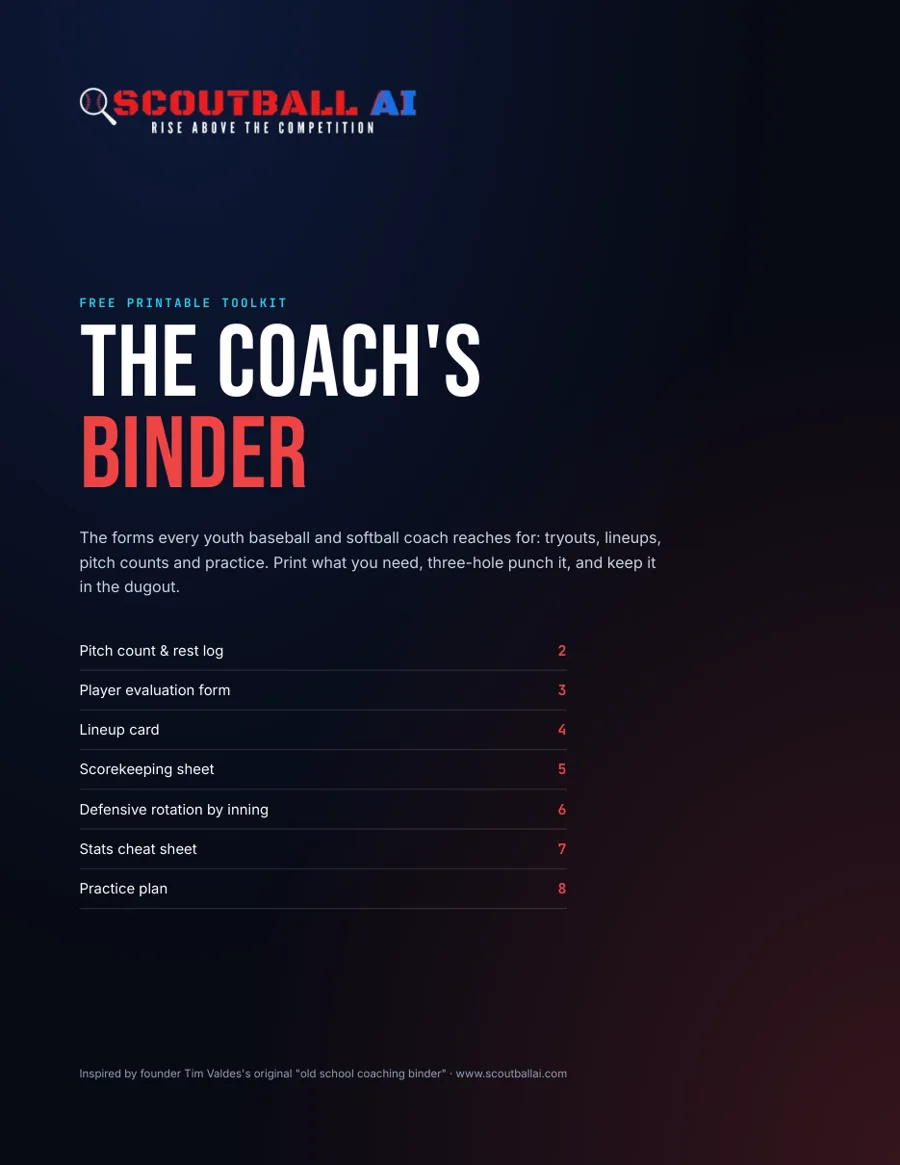
Or grab the free Coach's Binder — 9 printable coaching forms.
ScoutBall AI at a Glance
What Is ScoutBall AI?
ScoutBall AI is your digital assistant coach: the complete scouting and analytics app for baseball and softball coaches.
- Who it's for
- Coaches of competitive baseball and softball: travel ball, select, high school varsity and JV, rec and all-star teams, and academies.
- Data sources
- Most tools analyze your real GameChanger stats. The Pitch Chart is completely standalone — you enter pitch data yourself.
- Metrics
- OPS, OBP, SLG, K/BB, workload tracking, first-pitch strike rate, pitch command, zone control, and trend analysis.
- Pricing
- Coach Pro from $19.99/month; Premium from $39.99/month. 7-day free trial, cancel anytime.
- Where
- Web app at app.scoutballai.com — runs in the browser on phones, tablets and computers. There's no App Store or Google Play download.
- Founder
- Tim Valdes, a volunteer youth baseball coach who built the first version as an Excel draft tool for his son's team.
Most Powerful Feature
Your Pitching
Command Center
A standalone pitch tracking system that doesn't depend on GameChanger or any other data source. You enter the data. The AI does the analysis. Works at every level of play, from travel ball to varsity.
5 quick inputs per pitch. Batter stance, catcher target, zone location, pitch type, and result. Three modes: Game Mode for live tracking, Bullpen Mode for practice, and Scouting Mode for opponent intelligence.
Start Charting Free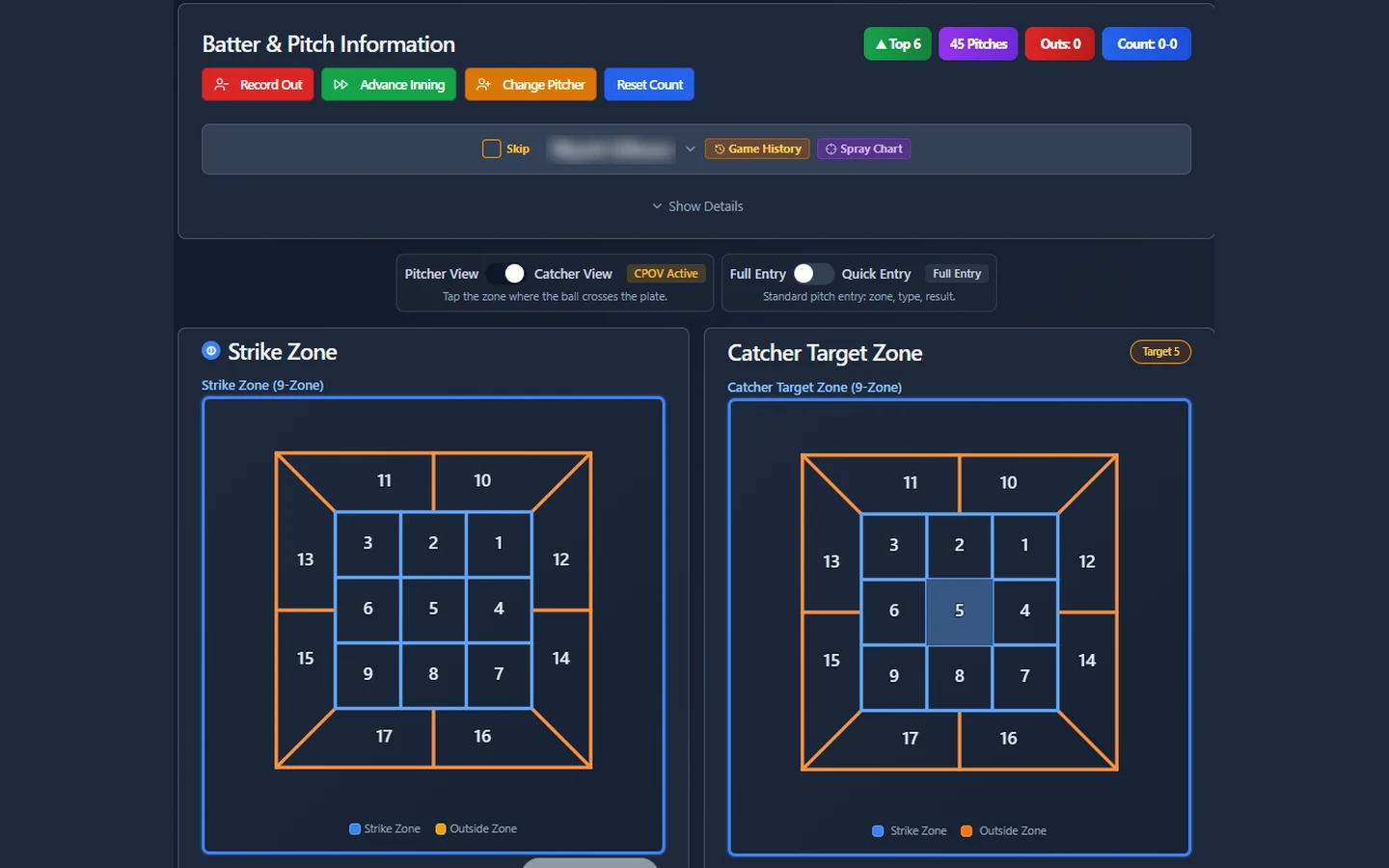
Tap the catcher's target and where the pitch crossed. Five inputs per pitch, logged in seconds.
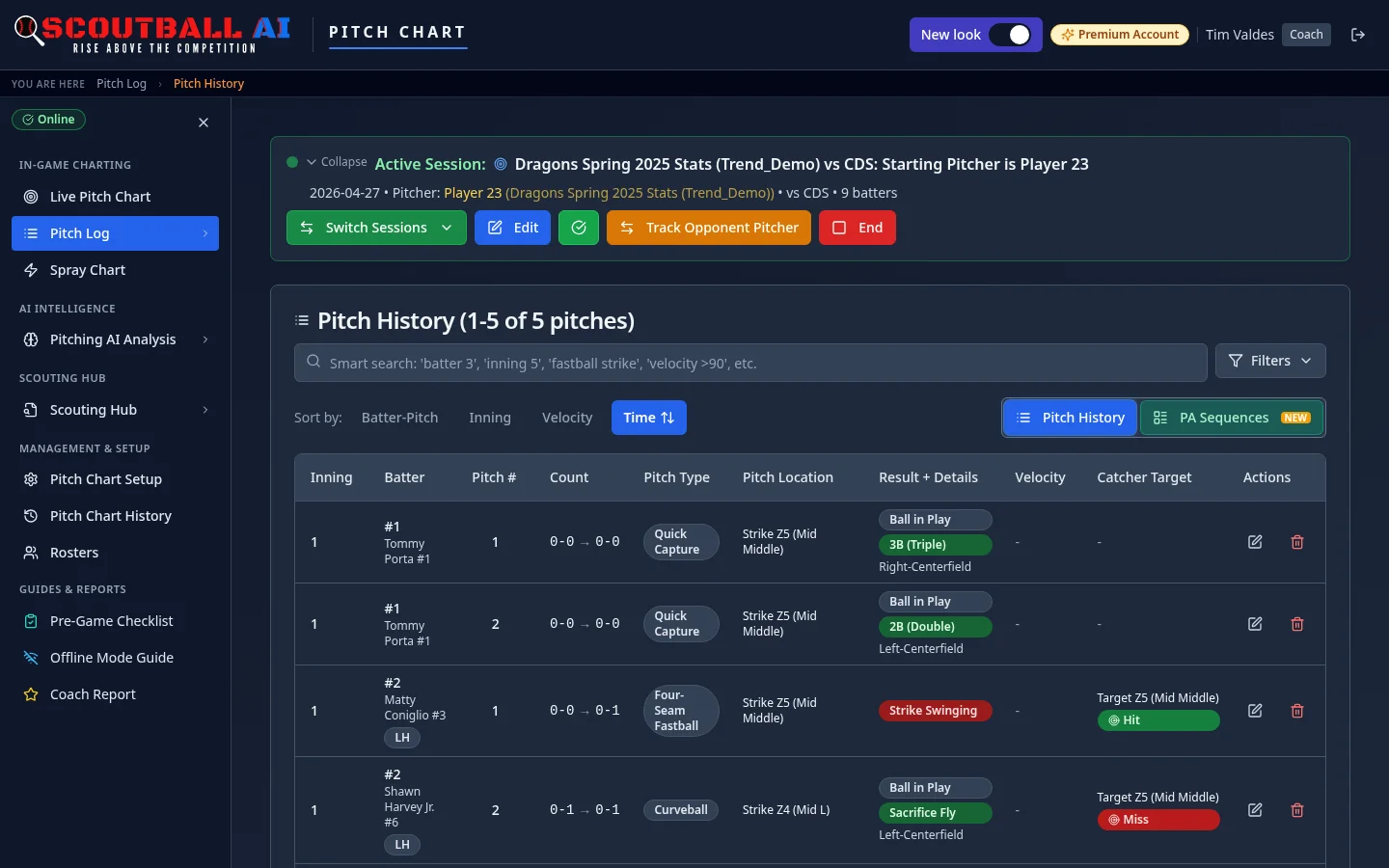
Every pitch of the session: inning, batter, count, pitch type, location, result and whether it hit the target.
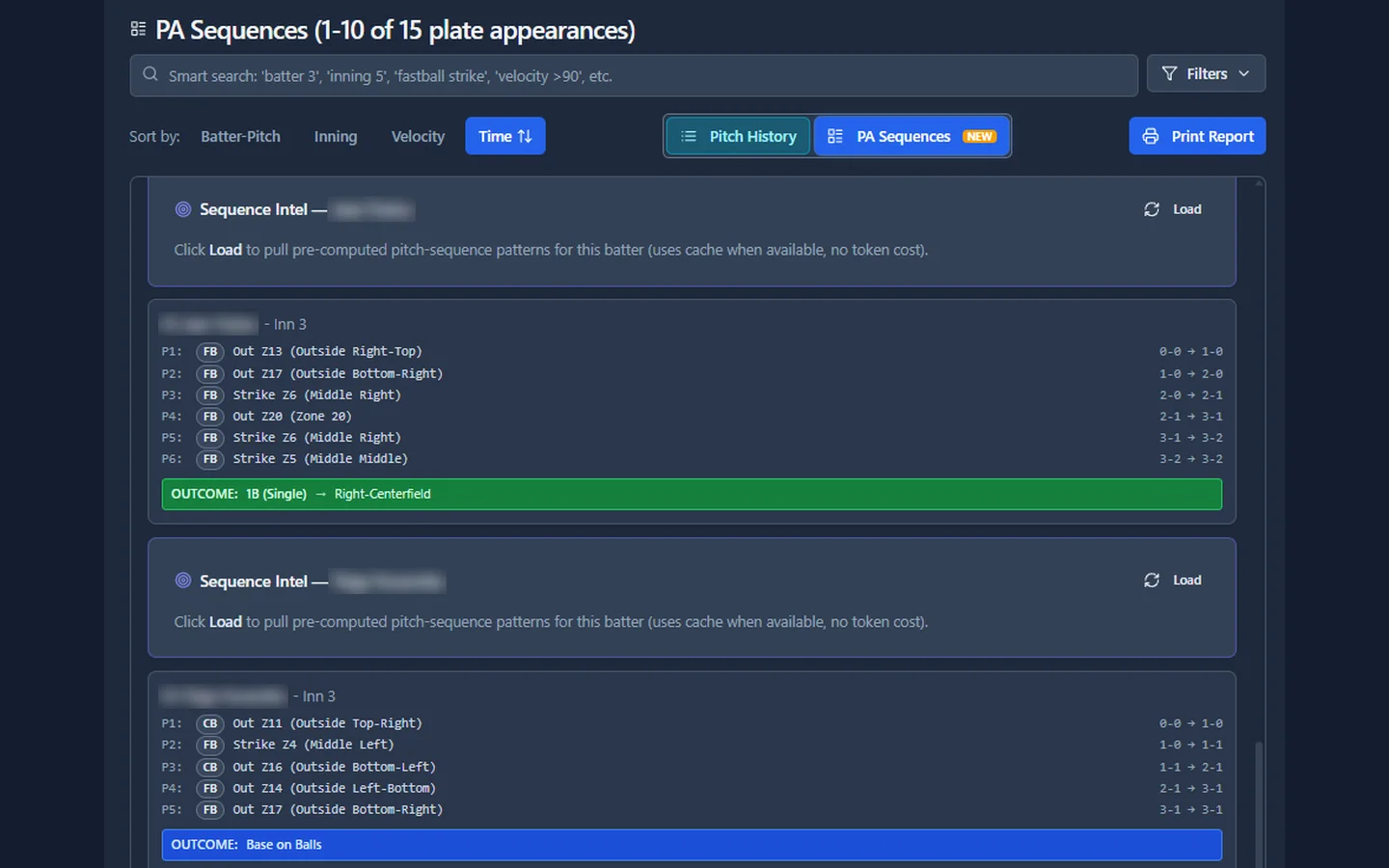
Every at-bat as a sequence: each pitch with its count and location, ending in the outcome — a strikeout, a hit, or a walk.
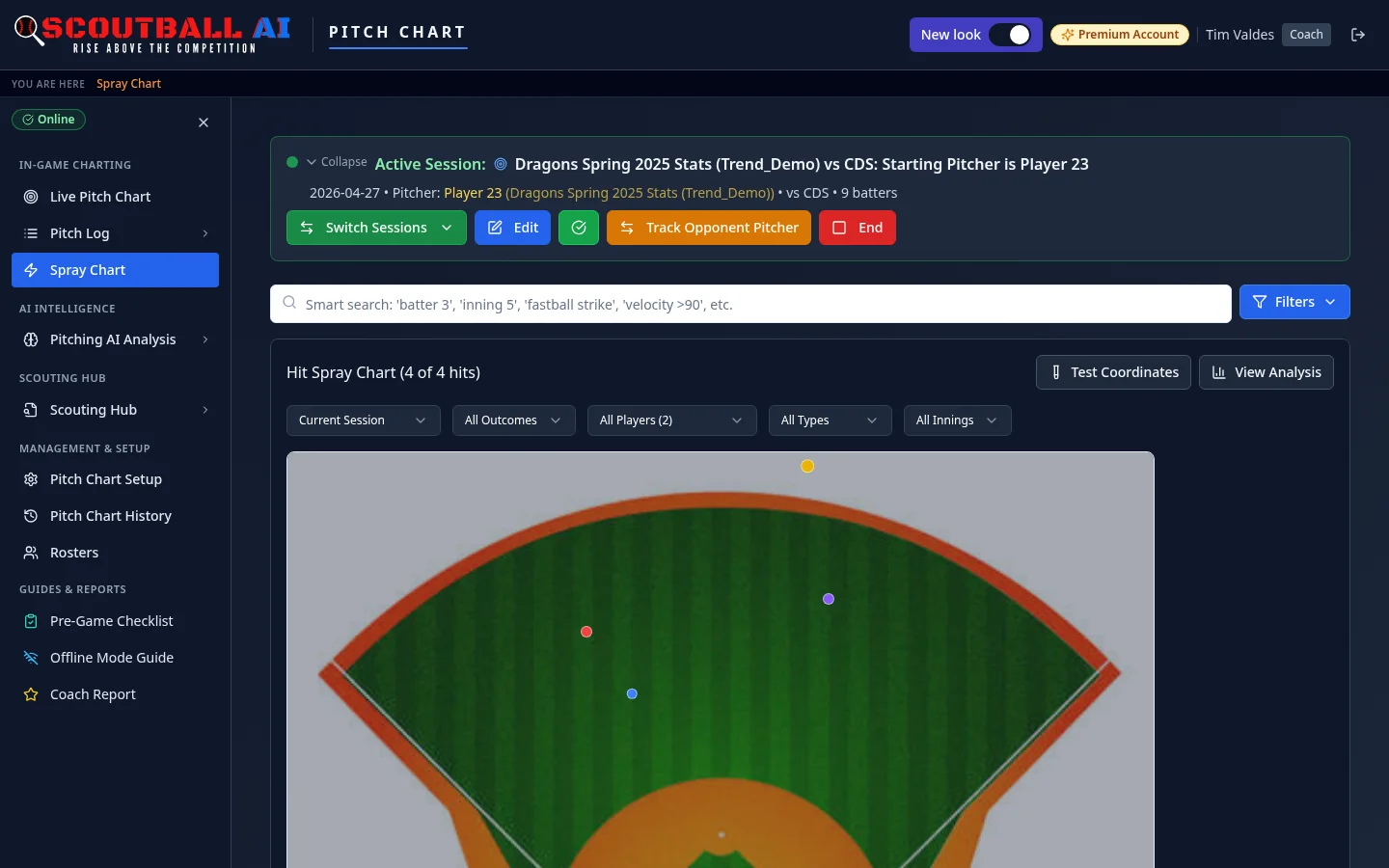
Where the balls in play went, by hit type. Filter by outcome, player, pitch type or inning.
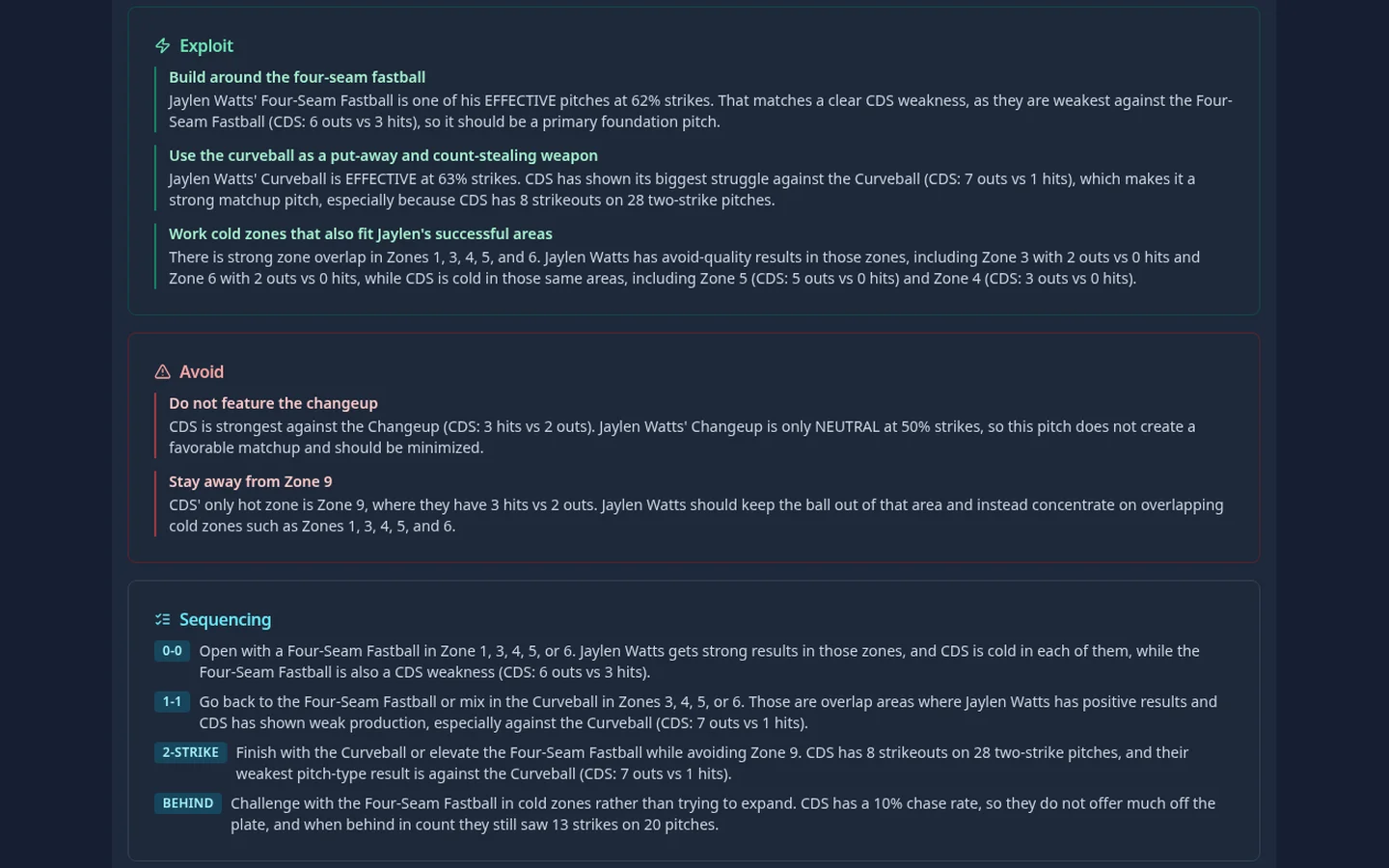
Pair your pitcher with a scouted opponent and get an AI attack plan: pitches to build around, zones to avoid, and what to throw in every count.
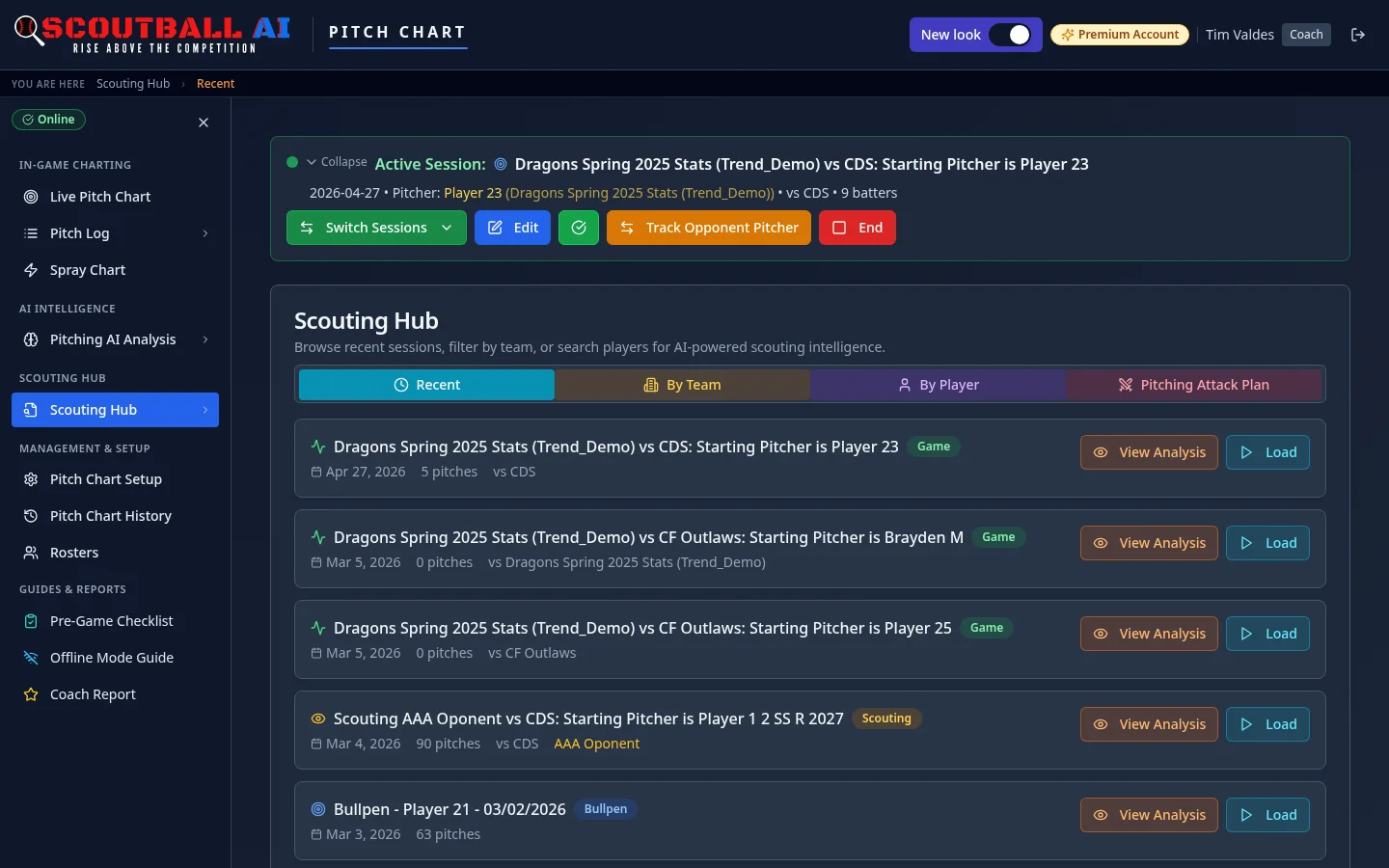
Every game, bullpen and scouting session in one place. Search by team or player and reload any of them.
Interactive Demo
Chart an At-Bat Right Now
The real charting screen, running right here. Tap where the catcher set up and where the pitch crossed, then pick the pitch and the result. Chart up to 10 pitches and watch strike rate, first-pitch strikes and command update as you go.
Interactive · no sign-up
Chart a real at-bat on your phone
Opens on a real inning, charted and analyzed. Then reset it and chart your own: tap the target, where it crossed, the pitch and the result.
10 pitches already charted. Look them over, then chart your own.
Catcher Target Zone
Where the catcher set up
Strike Zone
Where the pitch crossed
Pitch Type
Result
10 of 10 demo pitches · not saved
- Pitches
- 10
- Strike %
- 50%
- First-pitch strikes
- 67%
- Hit the spot
- 40%
- Batters
- 3 (1K 1BB)
- Avg velo
- 69
- How to read this inning
Pitch log
- 104-Seam0-0 · Zone 1 (hit spot) · 73 mphBall in Play
- 9Change3-1 · Zone 7 (target 5) · 67 mphBall
- 8Curve2-1 · Zone 9 (target 7) · 64 mphBall
- 74-Seam2-0 · Zone 2 (hit spot) · 74 mphStrike Looking
- 6Change1-0 · Zone 9 (target 8) · 66 mphBall
- 54-Seam0-0 · Zone 6 (target 3) · 71 mphBall
- 4Slider1-2 · Zone 9 (hit spot) · 69 mphStrike Swinging
- 34-Seam0-2 · Zone 4 (target 1) · 73 mphBall
- 2Curve0-1 · Zone 8 (target 7) · 65 mphFoul
- 14-Seam0-0 · Zone 5 (hit spot) · 72 mphStrike Looking
Quick read
- 4-Seam has the best command: hit the spot 3 of 5.
- Change is missing its spot (0 of 2).
- 4 of 6 misses finished in the bottom row (zones 7–9).
- 67% first-pitch strikes across 3 batters.
This demo runs in your browser and saves nothing to our servers. The full Pitch Chart charts entire games with Game, Bullpen and Scouting modes, pitch logs, spray charts and AI reports.
Start Charting FreeThe Intelligence Layer
Baseball Intelligence
Lives in the Math
The formulas are your playbook. The data is your film. The AI is the assistant who watched it all and brings you the report. Every insight is traceable from raw stat to final recommendation.
Zero Hallucinations
Hard-coded formulas. Defined logic. Every conclusion is traceable from raw stat to recommendation.
Real Sabermetrics
OPS, OBP, SLG, K/BB ratios, workload tracking, and trend analysis built into every report.
Your Data, Your Control
Structured baseball-specific prompts, not generic AI. Only processes your team's real stats.
Instant Analysis
Lineup optimization, pitch count alerts, saber dashboards, and scouting insights in seconds.
Hard-coded formulas. Defined logic. The AI's role is limited and precise: process the numbers, surface patterns, communicate what matters.
analyzing 847 pitches across 12 games...
[OK] Command Analysis: Fastball command drops 18% after pitch 60
[OK] Zone Control: 72% first-pitch strike rate (league avg: 58%)
[!!] Workload Alert: 3 pitchers approaching weekly limit
[OK] Hitter Tendency: Batters 0-for-12 on changeups low-away
RECOMMENDATION: Lead with changeup in late counts.
RECOMMENDATION: Pull starter after pitch 55 in game 3.
// Every conclusion traceable. Nothing hidden. Nothing guessed.
The Complete Toolkit
Everything you need to dominate the diamond
Pitch Chart
A pitch tracking app with AI-powered analytics. Visualize catcher targets vs. actual locations, pitch types, and outcomes. Includes Pitch Log, Pitch Chart, Zone Analysis, Spray Chart, Bullpen, and AI Summary.
Start Charting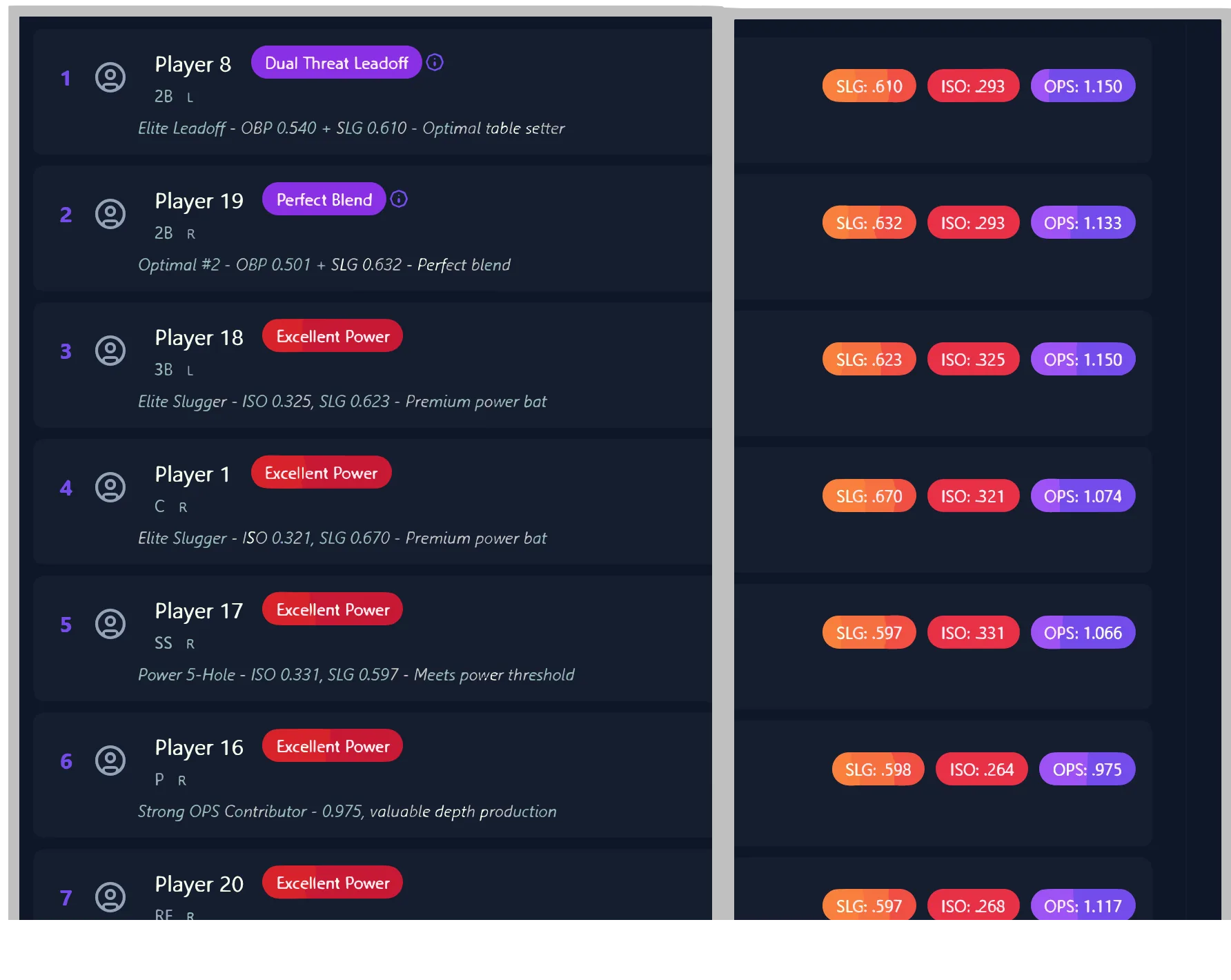
Lineup Optimizer
Turn GameChanger stats into actionable insights and build your best lineup in seconds.
Get Started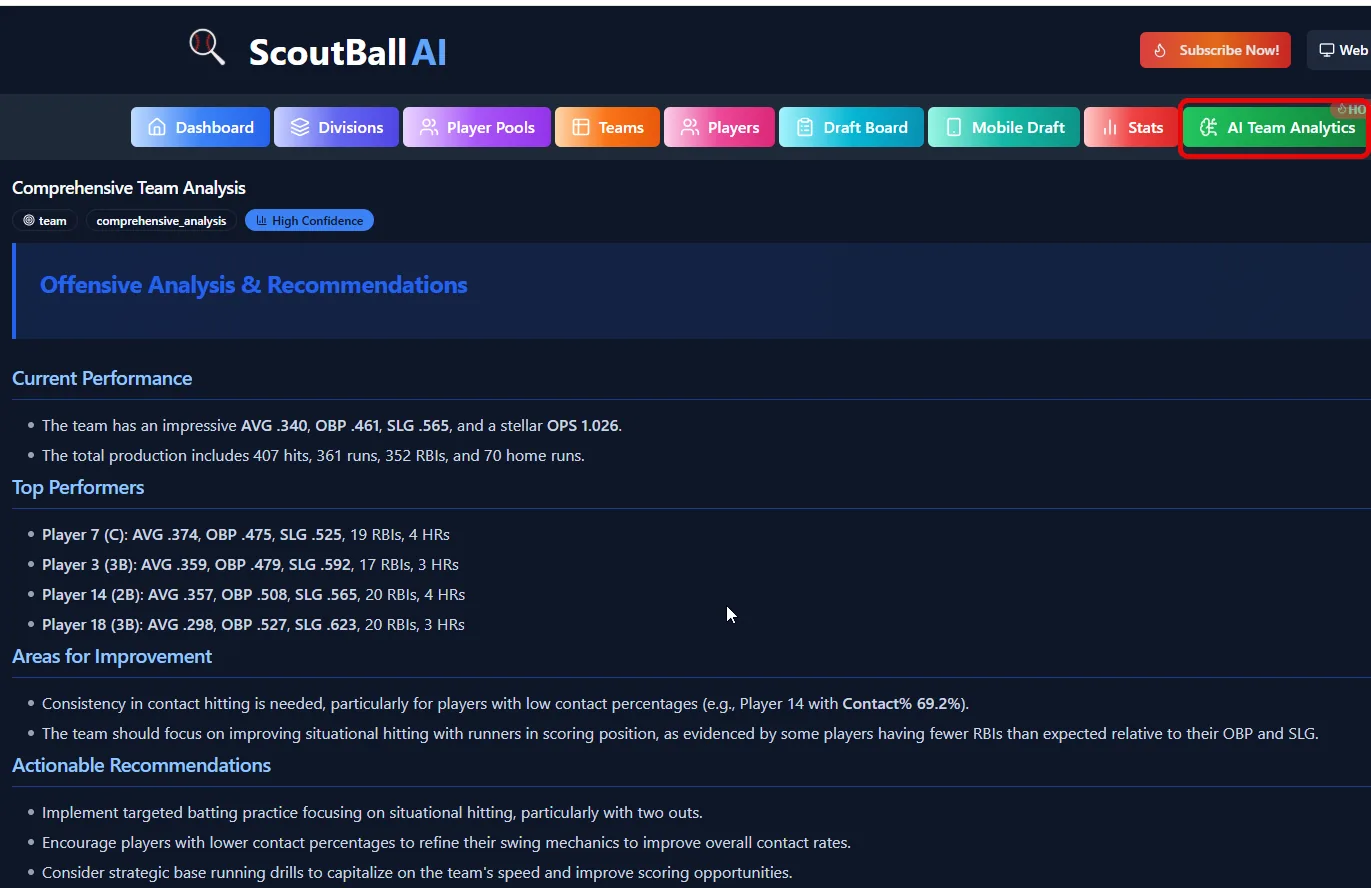
Scouting Reports & Development Plans
In just 3 minutes, transform GameChanger stats into actionable insights and individualized development plans.
Get Started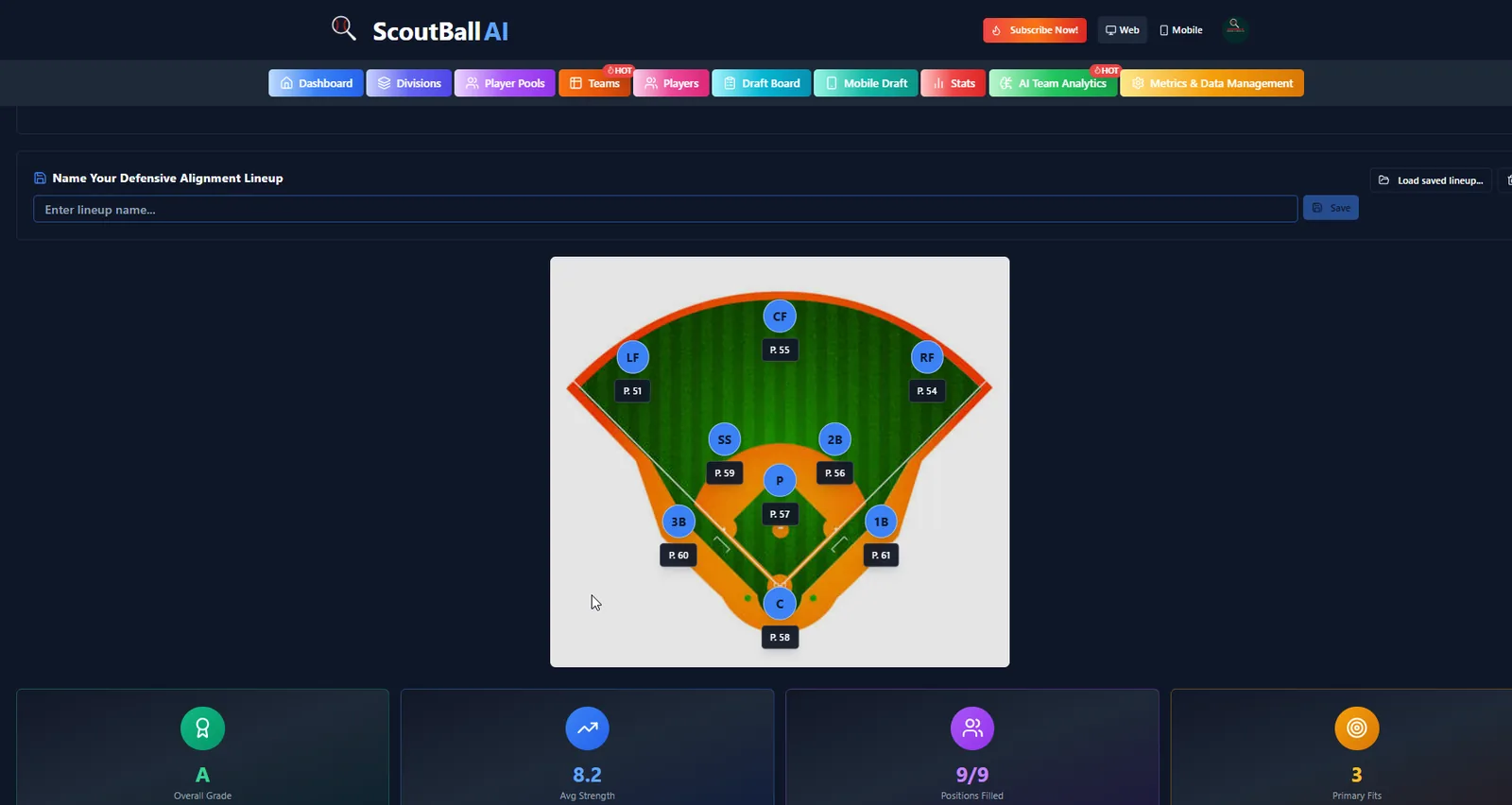
Defensive Alignment
Auto-generate defensive alignments from your player rankings and positions. Visualize ideal field setups for each inning.
Get Started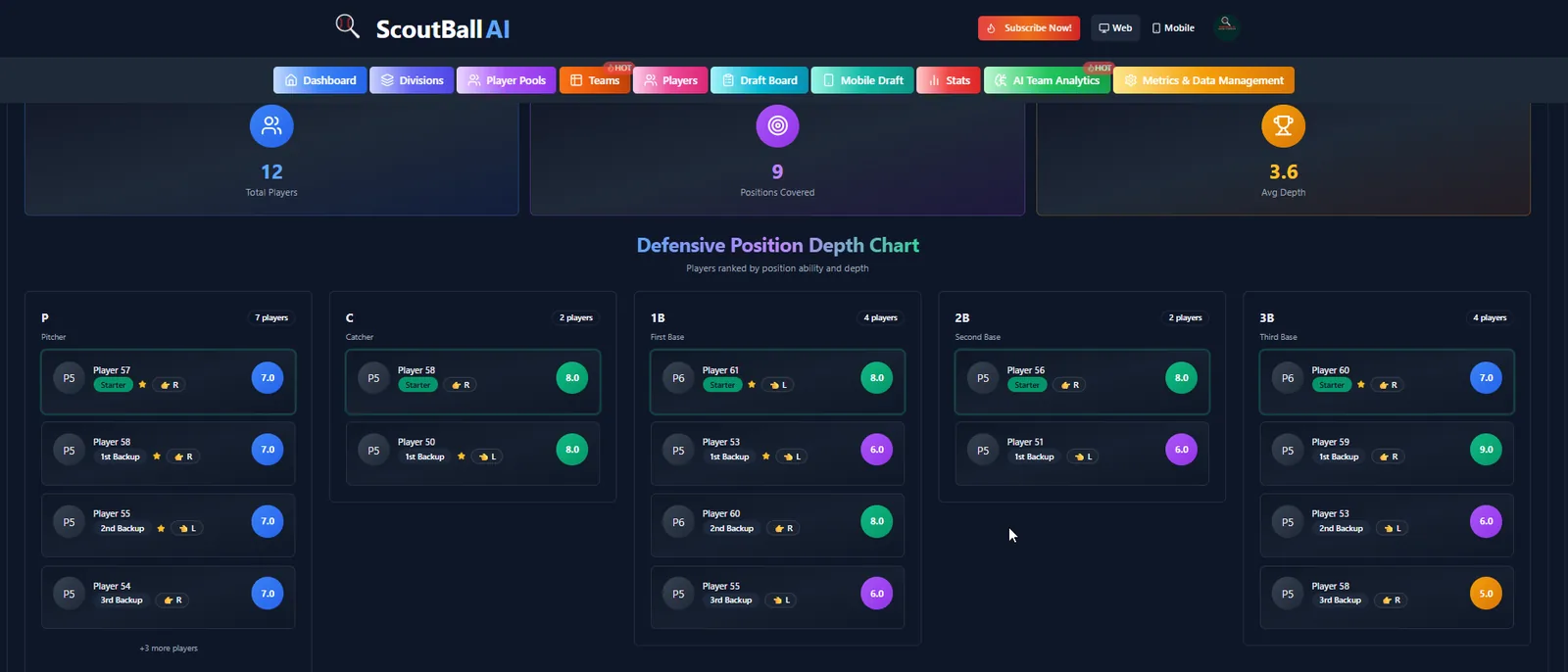
Defensive Depth Chart
See primary and secondary players by position at a glance. Manage substitutions and flexibility with confidence.
Get Started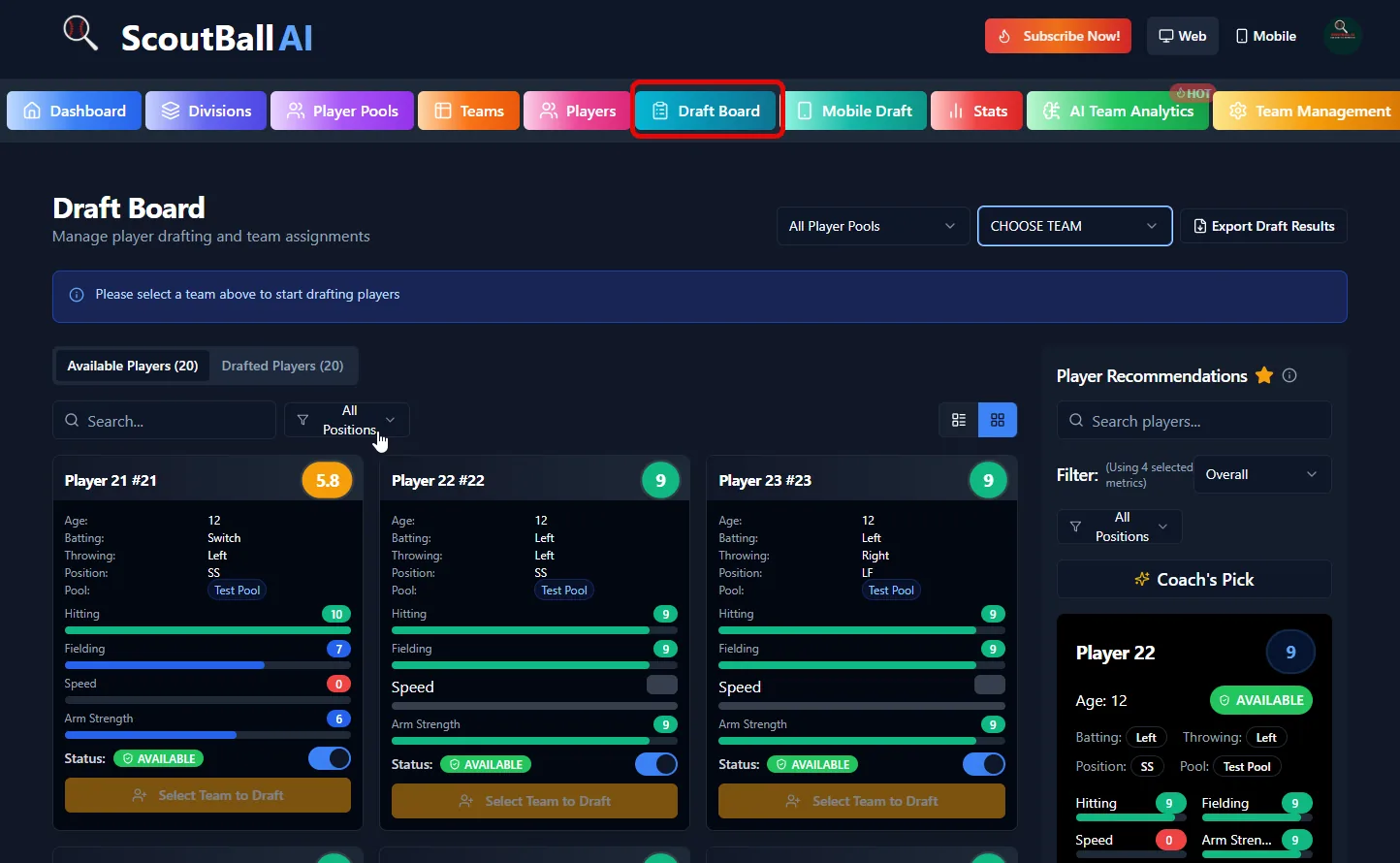
Drafting Tools
Streamline your draft board with AI-driven insights, making it easier to evaluate talent and build balanced rosters.
Get Started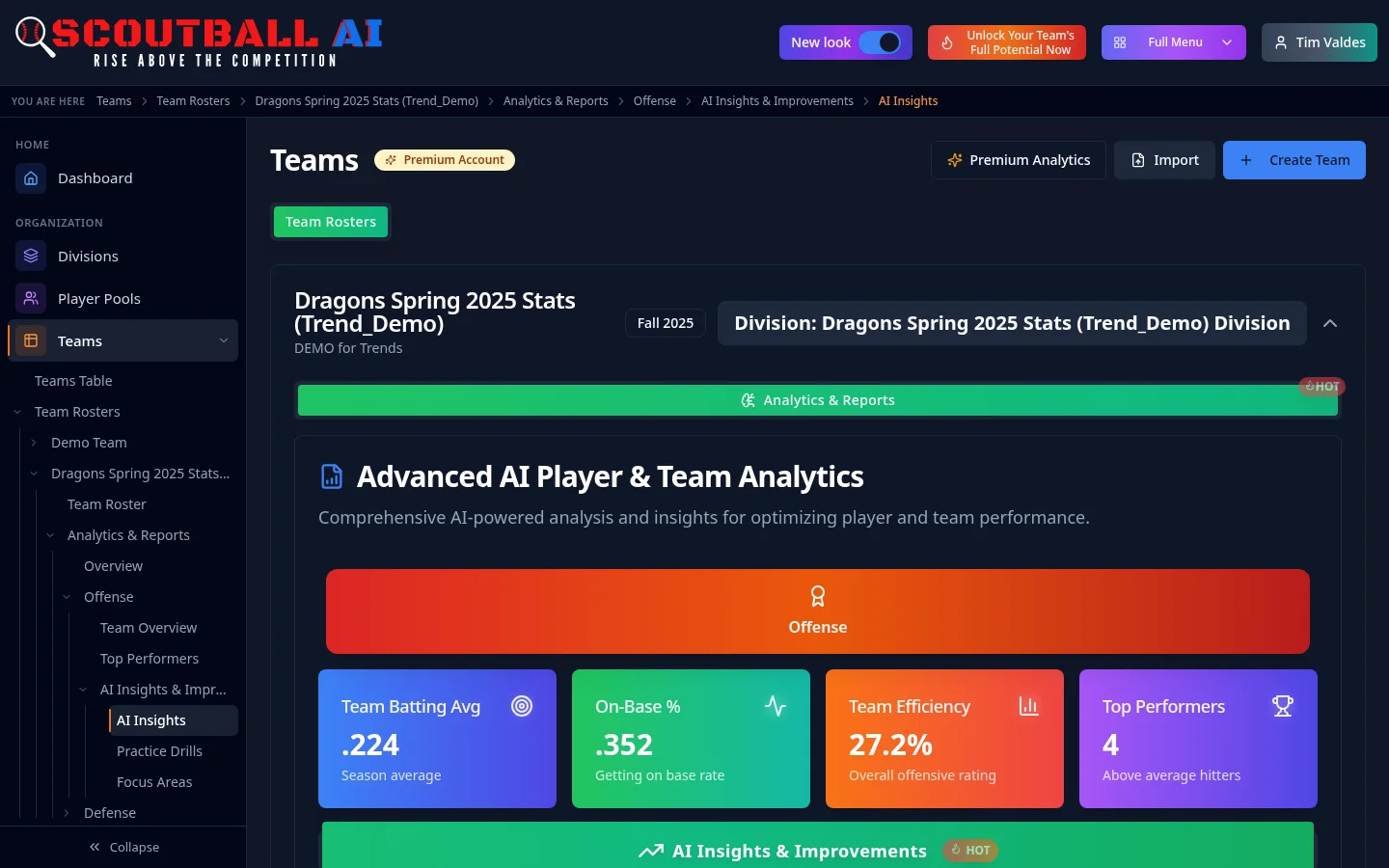
Team Analytics
Offense, Defense and Pitching reports for your whole team, built from your GameChanger stats, with top performers and AI insights for each.
Get Started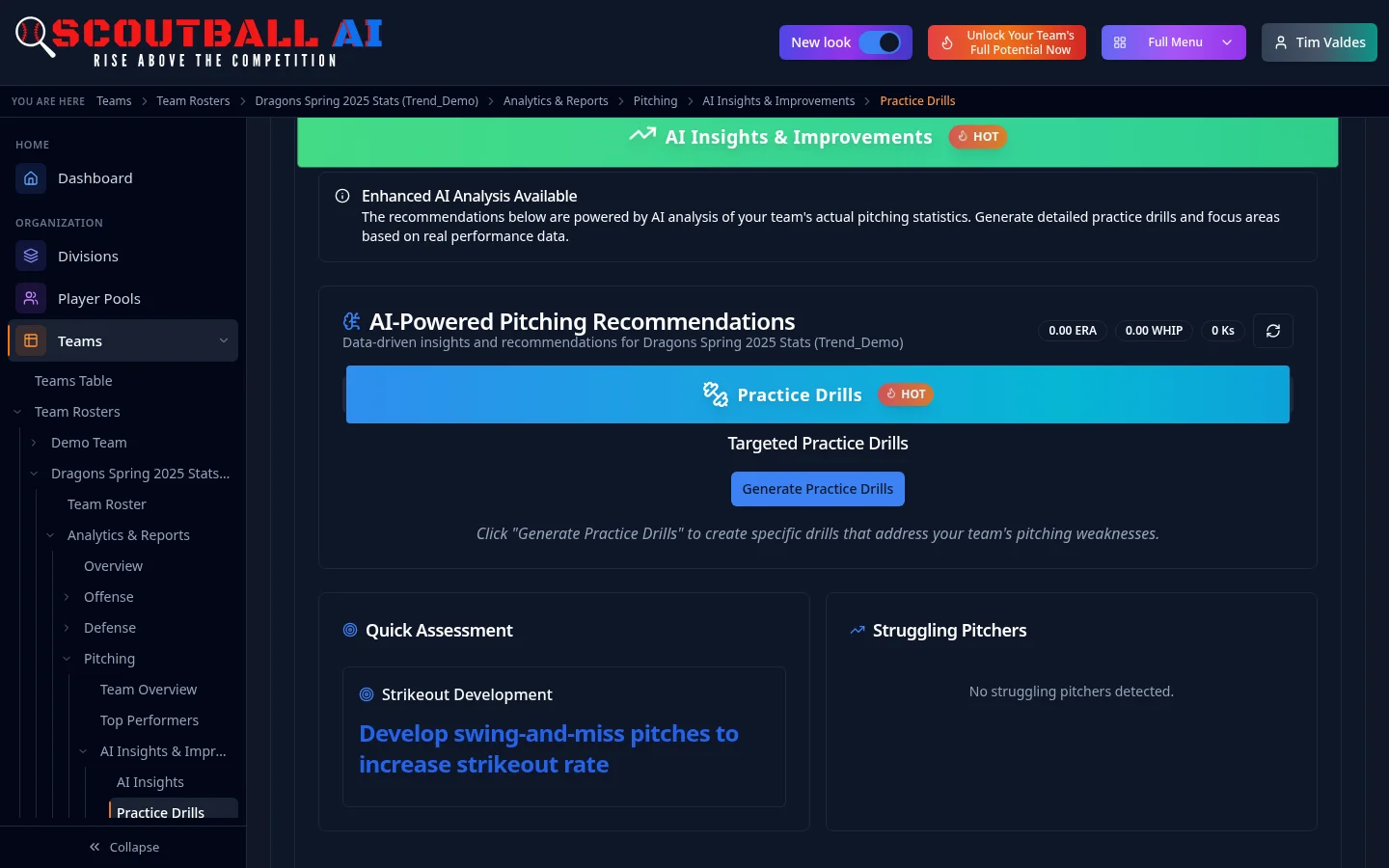
AI Practice Drills
AI-generated practice drills and focus areas aimed at your team's real weak spots, from strikeout development to defensive fundamentals.
Get Started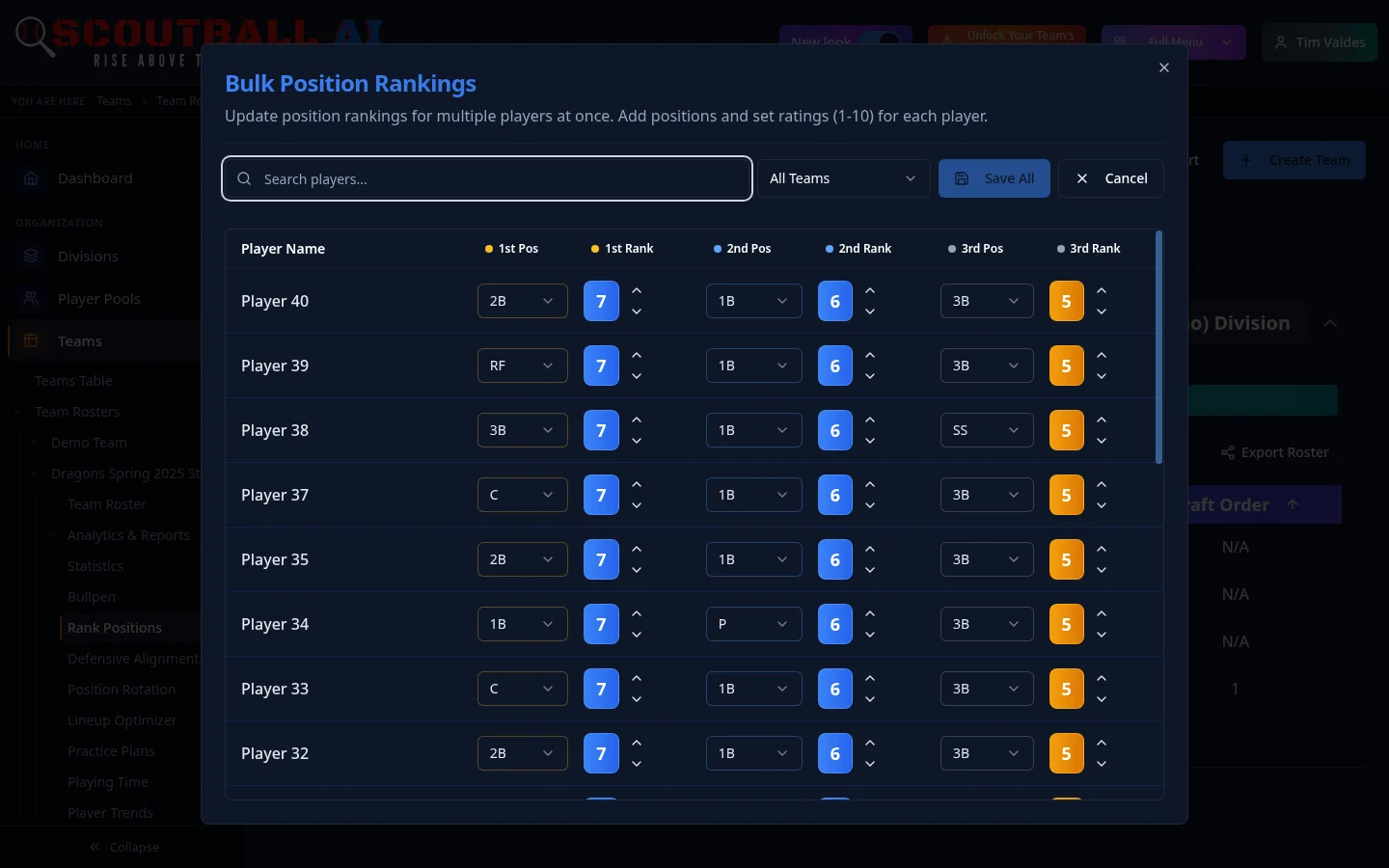
Rank Positions
Rank every player at up to three positions so you always know your best option at every spot on the field.
Get Started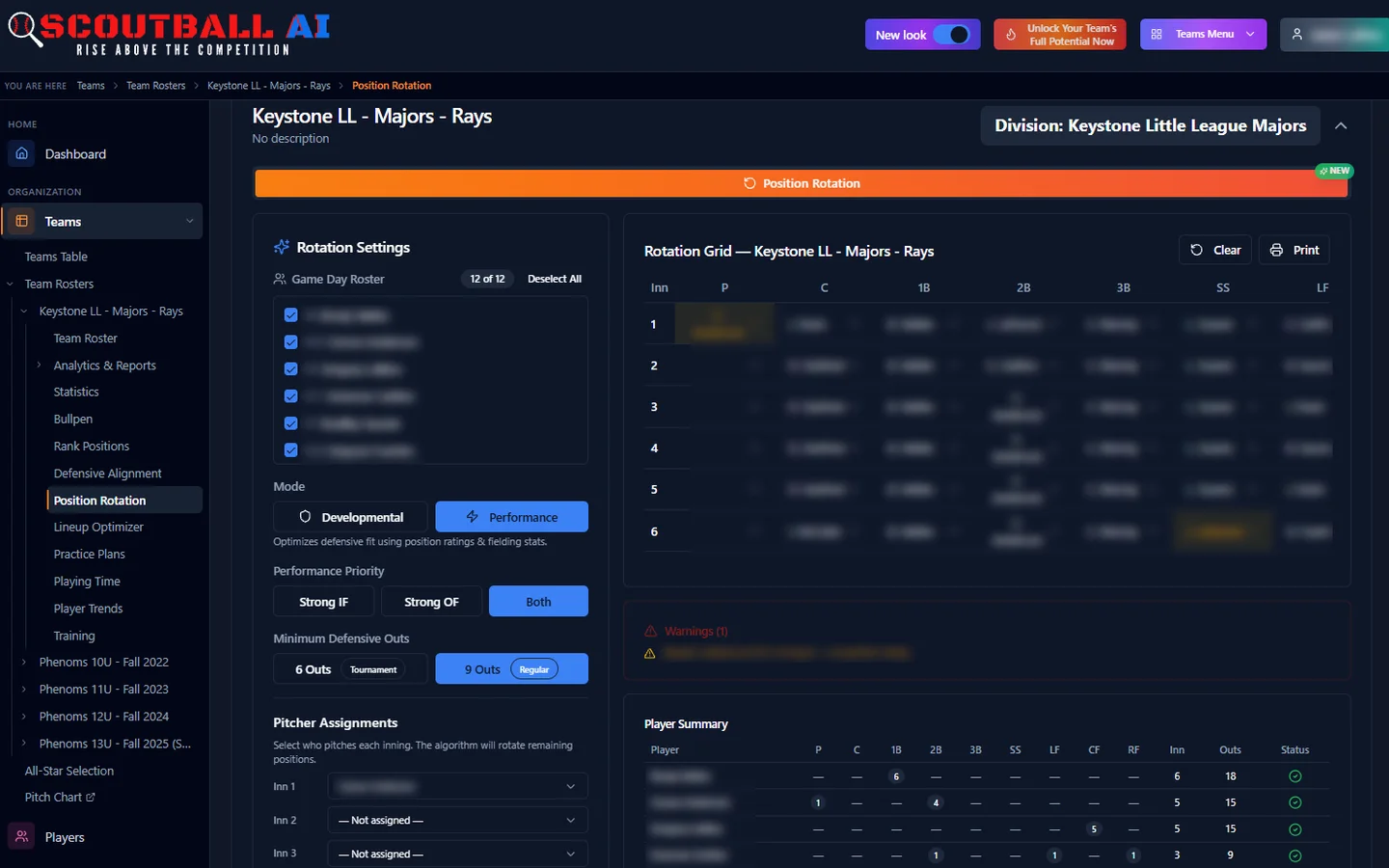
Position Rotation
Pick your game-day roster and pitchers, then generate a fair, inning-by-inning rotation in seconds. Choose Developmental mode to move players around, or Performance mode to win now.
Get Started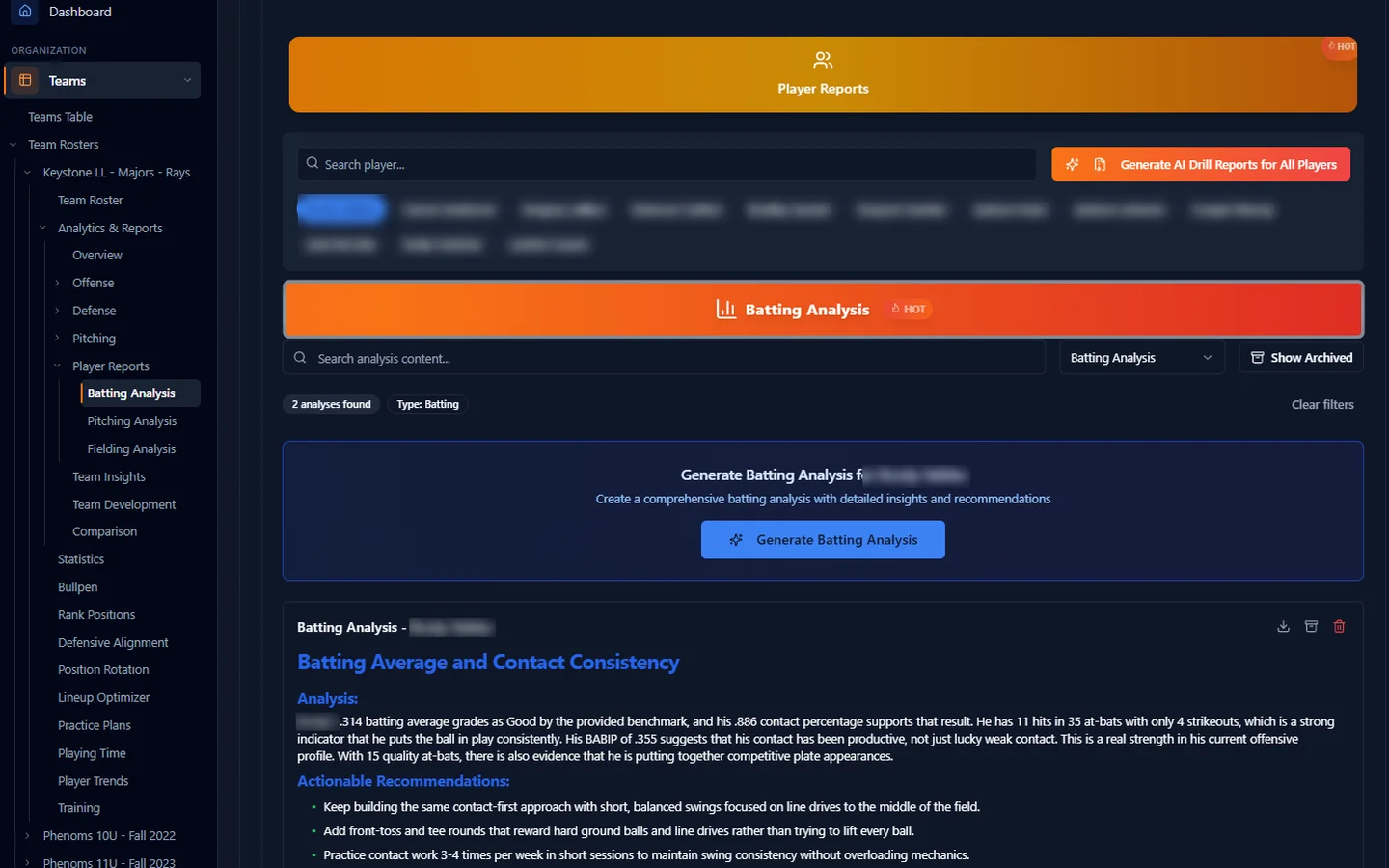
AI Batting Analysis
One click builds a full batting report for any player: contact, plate discipline and power, each with plain-English analysis and drills to work on next.
Get Started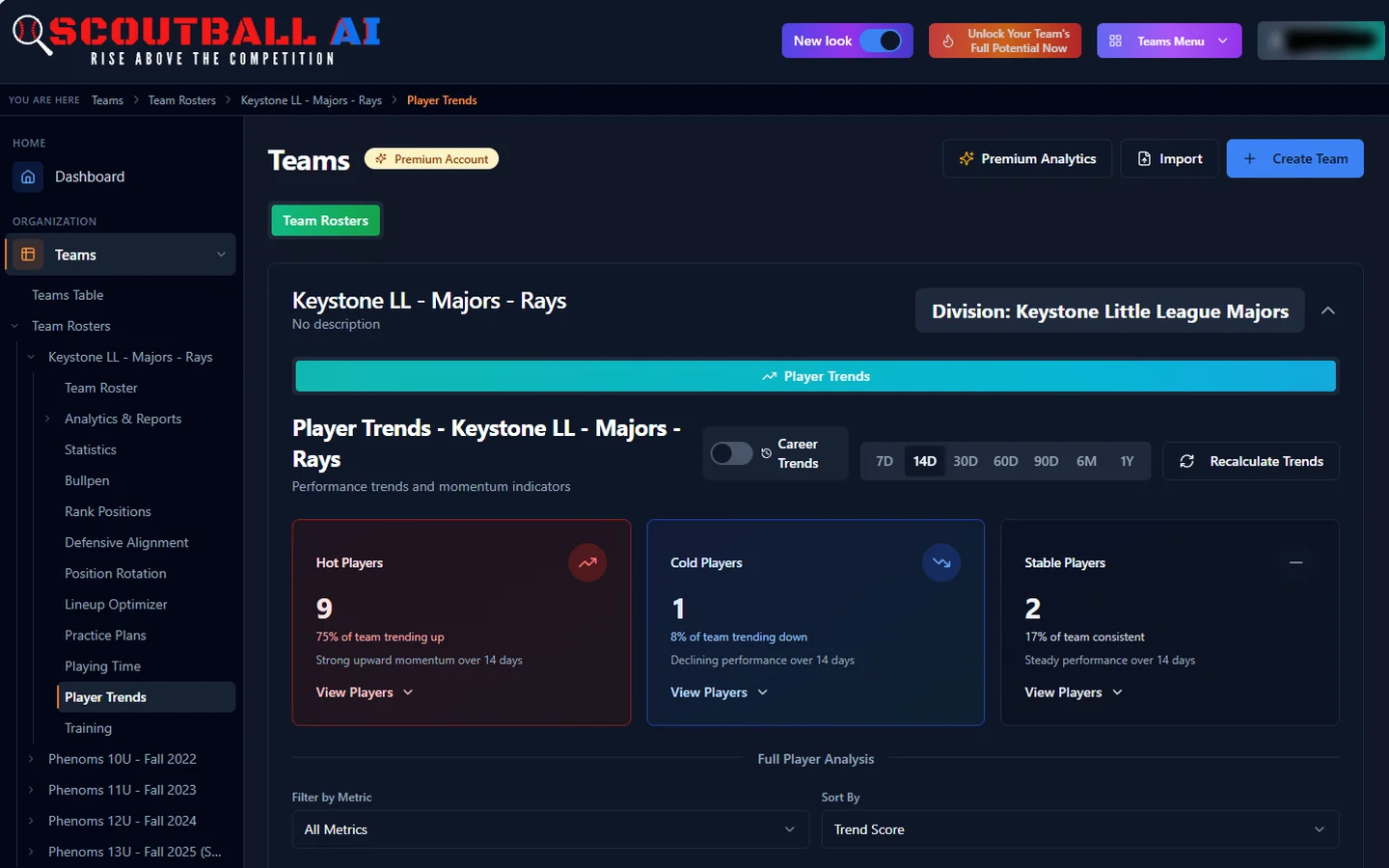
Player Trends
See who's hot, cold or steady over 7 days to a full year, with every stat's change spelled out so you know who to ride and who needs help.
Get Started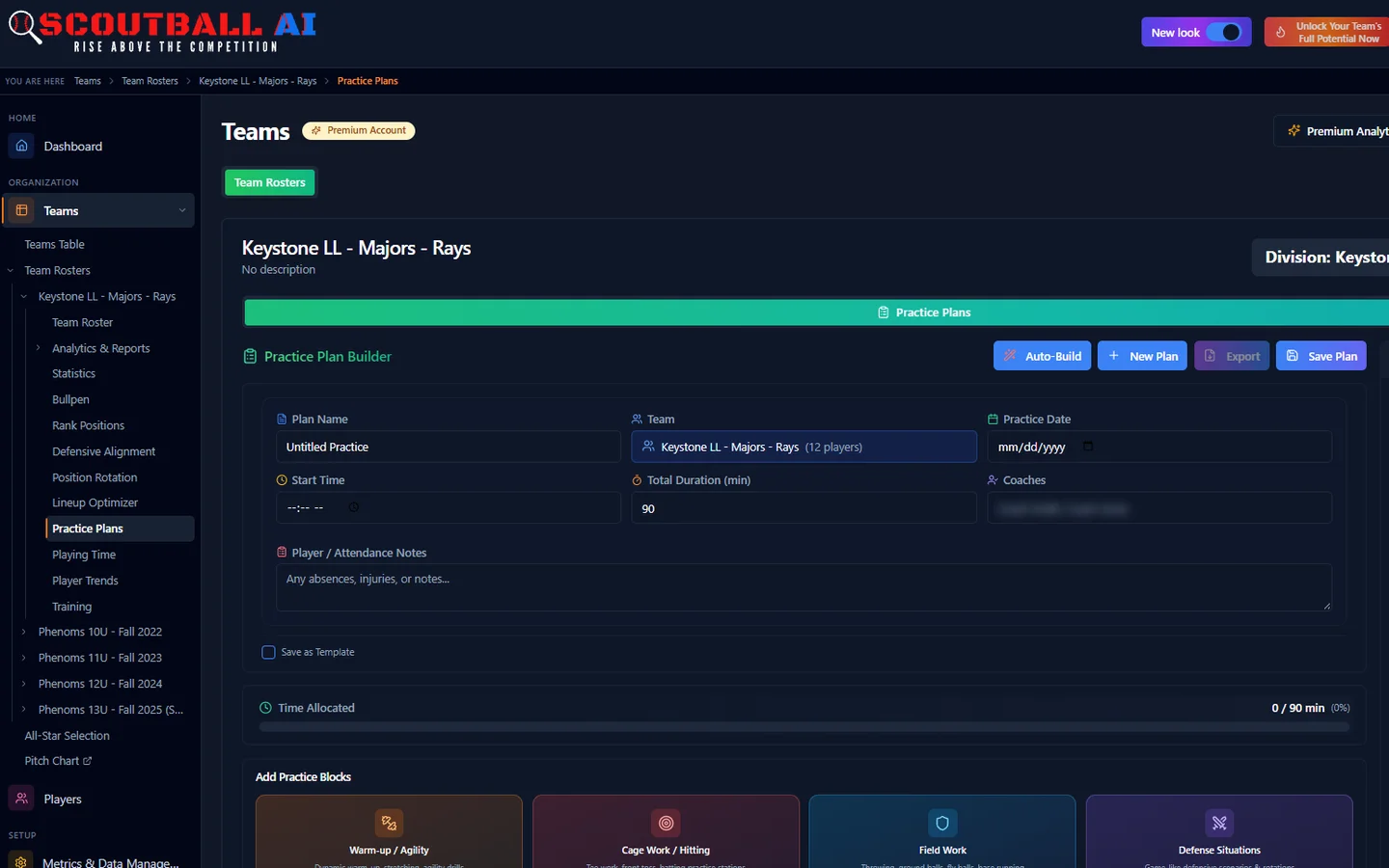
Practice Plans & Training
Build timed practice plans from ready-made blocks (warm-up, cage work, field work, bullpen and more), or let Auto-Build do it. Import training data from HitTrax, Blast Motion and Rapsodo.
Get StartedWhat Coaches Are Saying
Real Coaches. Real Results.
Hear from the coaches who use ScoutBall AI to make better decisions, build stronger lineups, and develop players with data they can trust.
- 7Coach Reviews
- 5.0Avg Rating
- 100%Recommend
“We followed the scouting report and pitched to the Carrboro Jaguars last night. We pitched a shutout, allowing only 3 hits and 1 walk. It was a dominant performance by the starting pitcher and the game plan worked well.”
“I've been a rec baseball coach for the past few years, and this summer I'm coaching our rec all-star team. I started using ScoutBall AI, which breaks down stats from GameChanger into detailed team and individual player analytics. After our first all-star tournament, I imported our team stats directly into the app. The following week, we faced a travel-ball team, so I used the Lineup Optimizer feature. It gave me four different lineup options to choose from. I selected the Power lineup, and it paid off! We drove in 15 runs and won the game. ScoutBall AI has truly helped me understand my team better, highlighting both individual strengths and weaknesses.”
“As an assistant travel softball coach, ScoutBall AI has made it so much easier to contribute in meaningful ways. The lineup tools help take the bias out of decisions, and the practice drill suggestions are super helpful for keeping things fresh and focused. It's been an asset to our coaching staff already and I am excited to see all the ways it will continue to make us better.”
“Pitch Chart reports help prepare and strategize for games. The players love it. The value and bang for your buck is exponential.”
“ScoutBall AI has been incredibly beneficial to our tryout process. After importing data, the platform provides clear player ratings based on your selected criteria, ranking each player according to their tryout scores. It has significantly streamlined our evaluation process. The Lineup Optimizer is another fantastic resource, allowing you to quickly visualize your optimal lineup based on different strategies, such as power-focused or speed-focused lineups. It's an excellent advisory tool to enhance decision-making.”
“The Pitch Chart gives me a clear view of what's happening. Pitch location, command, and even spray charts. It's been a great tool for my staff.”
“ScoutBall AI is extremely intuitive and really helps you organize your player information and make informed decisions on roster construction. I am looking forward to getting into the advanced game planning and player development aspects.”
Coaching with ScoutBall AI? Tell other coaches how it's going.
Free for coaches
Coach It Old School
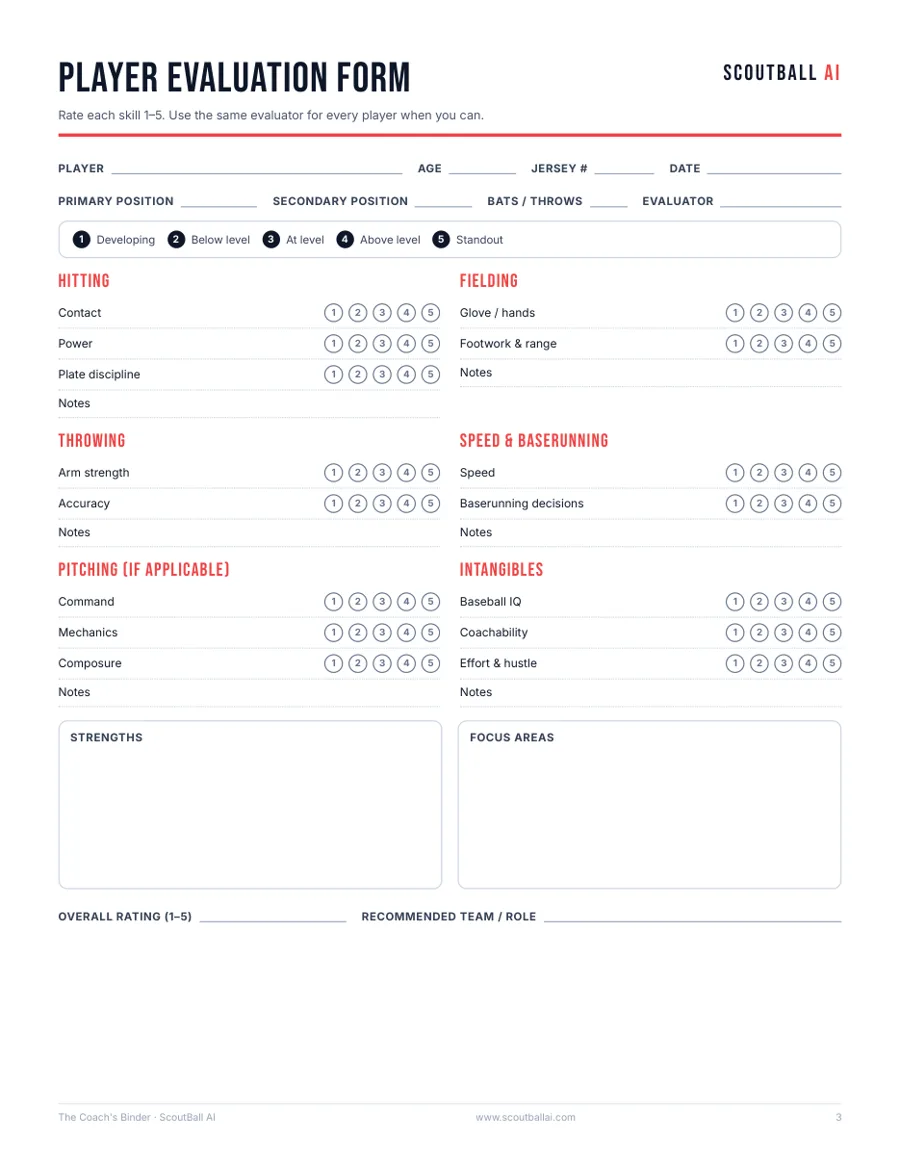
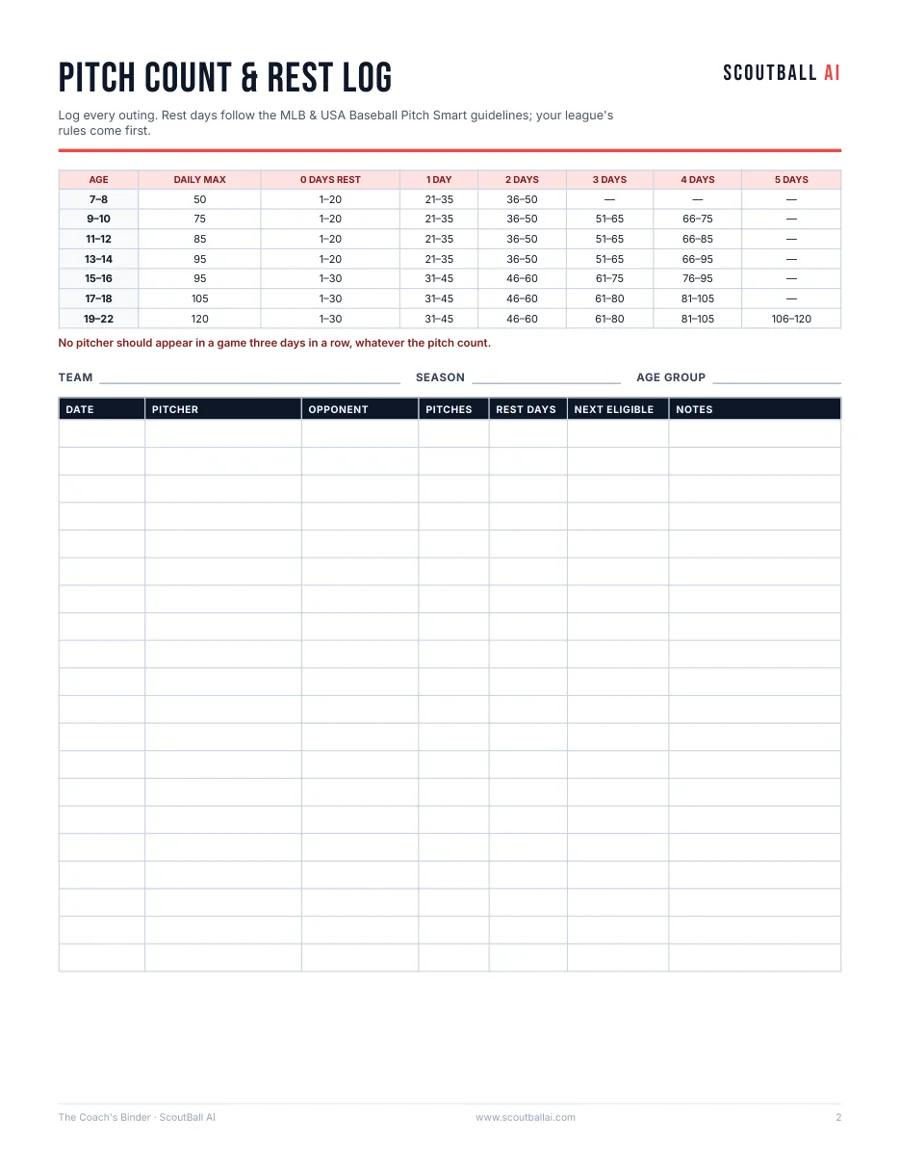
This is the paper way, done properly: nine printable pages that cover a season — keeping score, pitch counts and rest, tryout evaluations, lineups, defensive rotations and practice plans. It's the binder Tim carried before ScoutBall AI existed, and it still works. Print it, clip it in, keep it in the dugout.
On paper
- Keep score and tally pitch counts by hand
- Add up the stats after the game
- Rank players from notes and gut feel
- Rewrite the lineup card every game
Automated with ScoutBall AI
- Chart pitches on your phone, totals as you go
- OBP, OPS, WHIP and FIP calculated from GameChanger
- Players ranked from your own evaluation criteria
- Lineups and defensive alignments built in seconds
Same job either way. One takes your whole Sunday night; the other takes a few minutes.
Frequently Asked Questions
Everything You Need to Know
Is there an app for baseball scouting reports?
Yes. ScoutBall AI is a baseball and softball scouting app. Import your GameChanger stats and it builds scouting reports and individual development plans in about 3 minutes. For opponents, the Pitch Chart's Scouting Mode charts their hitters pitch by pitch.
What's the best analytics app for youth baseball and softball?
Look for one that works from stats you already keep and shows its math. ScoutBall AI turns your GameChanger stats into lineups, defensive alignments, pitcher workload tracking and scouting reports, adds a standalone pitch tracking app, and traces every recommendation back to the raw numbers. It's built for travel ball, select, high school and rec teams, with a 7-day free trial.
Is ScoutBall AI an iPhone or Android app?
It's a web app at app.scoutballai.com, so there's nothing to download from the App Store or Google Play. It runs in the browser on phones, tablets and computers, which means the same account works in the dugout and at home.
What data does ScoutBall AI use?
Most tools use your real GameChanger stats. The Pitch Chart is completely standalone. You enter pitch data yourself during games, bullpen sessions, or scouting. No external data source required.
Does the AI make stuff up?
Zero hallucinations. Every insight is traceable from raw stat to final recommendation. Hard-coded formulas, defined logic, structured baseball-specific prompts. The AI's role is limited and precise: process the numbers, surface patterns, communicate what matters.
What level of play is this for?
ScoutBall AI works across all levels. Our Pitch Chart is especially popular with high school programs, where coaches need game-ready analytics without a dedicated stats crew. Travel ball, select, varsity, JV... if you're coaching competitive baseball or softball, this is built for you.
How is the Pitch Chart different from other charting tools?
Three modes (Game, Bullpen, Scouting), five quick inputs per pitch, and AI-driven reports that identify patterns in command, pitch usage, and zone control. Most tools just record. ScoutBall analyzes, surfaces tendencies, and recommends what to do next.
What sabermetrics does ScoutBall track?
OPS, OBP, SLG, K/BB ratios, workload tracking, first-pitch strike rates, pitch command percentages, zone control metrics, and custom trend analysis across games and seasons.
Can I cancel anytime?
Yes. No contracts, no commitments. Cancel from your account settings anytime.
Do I need technical skills to get started?
No. If you can use GameChanger, you can use ScoutBall. The Pitch Chart is designed for speed during live games. Five taps and you've logged a pitch.
Join These Coaches
Ready to Coach
With Better Data?
Start with a 7-day free trial. Cancel anytime. See why coaches trust ScoutBall AI.